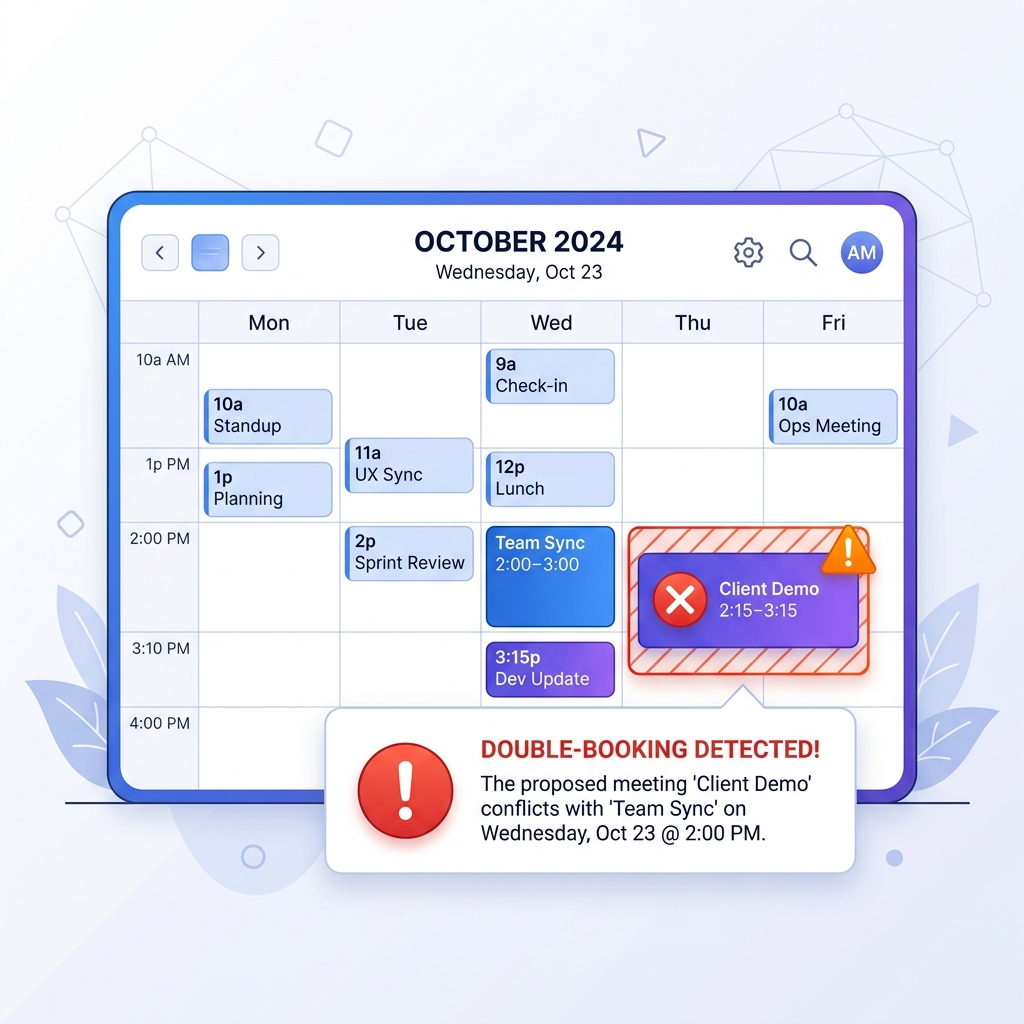
Automated Conflict Detection
Prevent scheduling disasters before they happen with intelligent alerts for double bookings and PTO overlaps.
The Problem: Human error in dispatching is incredibly costly. Accidentally scheduling a technician who is on vacation, or double-booking a top installer across two different zip codes at the same time, leads to furious customers, panicked rescheduling, and a damaged brand reputation.
How It Works
Opsler acts as a digital safety net for your dispatchers, catching human errors before they impact the customer.
- Step 1: Real-Time Scanning — Every time a dispatcher attempts to create or move a job, Opsler scans the technician's calendar in real time against their work hours, existing jobs, and PTO.
- Step 2: Instant Alerts — If a conflict is detected (e.g., a 2-hour job dropped into a 1-hour gap), a modal warning instantly pops up detailing the exact nature of the overlap.
- Step 3: Smart Suggestions — Along with the warning, Opsler suggests the next available time slot for that specific technician, or highlights other technicians who are available right now.
- Step 4: Cascade Warnings — If a tech gets stuck at a job longer than expected, Opsler highlights their subsequent appointments in yellow, warning dispatch to proactively alert the next customers.
Who Uses It & Business Impact
Eliminate the embarrassment and cost of no-shows.
- For Dispatchers — It drastically reduces dispatch anxiety. They can schedule jobs rapidly knowing the system will catch any mathematical errors or overlapping time blocks.
- For Business Owners — A massive reduction in missed appointments and rescheduling apologies. You maintain a reputation for rock-solid reliability, which is the fastest way to generate word-of-mouth referrals.
Frequently Asked Questions
Yes. Opsler provides warnings, but doesn't hard-block your operations. If a dispatcher knows a technician can handle a slight overlap, they can click 'Acknowledge & Schedule Anyway' to override the warning.
Absolutely. If a technician is marked as on vacation, at a training seminar, or on sick leave, their calendar is blocked out. Any attempt to drag a job onto that blocked time will trigger an immediate conflict alert.
Opsler monitors job statuses in real time. If a technician's current job is scheduled to end at 2:00 PM, and it is 2:15 PM and the job is still marked 'In Progress', the system highlights their 3:00 PM job in yellow to warn the dispatcher of a cascading delay.
If you utilize the asset tracking module, yes. The system can ensure that two technicians aren't scheduled to use the same specialized equipment (like a bucket truck) at the same time in different locations.
Related Features
Ready to Run Your Business Without the Chaos?
Scheduling, dispatch, estimates, invoicing, customer portal, and a free branded website — start completely free, upgrade to Pro when you scale.
Free forever on the Budding plan. No credit card required.