9 Best Housecall Pro Alternatives and Competitors in 2026
The nine Housecall Pro alternatives worth shortlisting are Opsler, Jobber, Workiz, FieldPulse, Service Fusion, Kickserv, ServiceM8, ServiceTitan and FieldEdge. For a small home-service team the usual answer is Opsler: two seats free permanently, then $25 a seat with no seat minimum and no tier above it to unlock, and the most specific offline documentation anyone here publishes.
Which one wins for you still turns on team size, pricing model and whether your technicians work where there is no signal — and the rest of this page is how to tell.
Every vendor below gets a best-fit use case and at least one real drawback, including us. External pricing, limits and features were checked at each vendor’s own page on 30 July 2026, with Jobber re-verified on 5 August 2026 because its pricing page re-prices from a team-size selector.
Editorial disclosure: Opsler publishes this website and Opsler is vendor number one on this page. The ranking criteria are published in full below and applied identically to all nine vendors and to Housecall Pro. Where a competitor is the better answer, this page says so.
What Actually Separates These Nine
Every product here schedules a job, raises an estimate and sends an invoice, so the feature grid is not where this gets decided. If you are weighing alternatives to Housecall Pro for a small business, four structural differences do almost all the work of shortening the list — and they are worth knowing before you read a single vendor section below.
What the bill does when you hire
Housecall Pro steps at the sixth user — Essentials covers 5 at $299 a month, Max covers 8 at $649. Jobber re-prices every plan when you cross a team-size band, roughly $100 a month per step. Kickserv bills in blocks of 5, 10 and 20 whether or not you fill them. Service Fusion never moves at all. Opsler is $25 per seat with no seat minimum, so the sixth hire costs $25 and nothing else changes.
Whether the useful features are on the plan you can afford
Housecall Pro sells the Sales Proposal Tool and Recurring Service Plans as $40-a-month add-ons, with Campaigns, Voice, Websites and Vehicle GPS priced separately again. Jobber puts capabilities such as the client hub and online booking on higher tiers. Workiz's phone system and AI Answering are add-ons on top of a quote. Opsler has one paid plan and all 42 features are on it — there is no higher tier to unlock the good ones.
Whether “free” means a plan or a trial
Two of the ten products here have a real free plan. Opsler's Budding plan covers 2 seats and 50 jobs a month with no expiry, and it includes parts inventory, Good/Better/Best estimates and invoicing — the things that are paid or gated almost everywhere else. ServiceM8's covers 1 user and 30 jobs. Housecall Pro, Jobber, FieldPulse, Service Fusion, Kickserv, ServiceTitan and FieldEdge are trial-or-demo only.
Whether anyone will tell you what works offline
Two vendors publish specifics. Opsler documents an action-by-action list of what a technician can finish with no signal; ServiceM8 documents job details, notes and photos. Housecall Pro's pricing page says “offline viewing” and stops there. The remaining six document nothing publicly — which is not proof they fail, only that you will have to test it yourself.
Those four are why Opsler sits at number one on a page Opsler publishes. The criteria behind that placement are set out in full in the comparison table and the methodology below, and every vendor here — including us — carries a stated limitation.
Housecall Pro at a Glance
Before the alternatives, the baseline you are pricing against. Housecall Pro is a home-service platform with a polished mobile app, online booking, integrated payments and one of the larger user communities in the category. It is a good product, and the question is never whether it works — it is what it costs you at your headcount, and which of its add-ons you end up buying.
Current plans
Official- Basic — $79/month, 1 user
- Essentials — $229/month for 1 user, or $299/month covering 5
- Max — $349/month for 1 user, or $649/month covering 8
- Additional users — no price published in either view
- 14-day free trial, no credit card. No free plan
- No long-term contract; downgrades apply at the end of the billing period
Checked 30 July 2026.
Where it is strong
- A well-regarded mobile app on both iOS and Android
- Online booking and integrated payment processing
- Customer communication and job status notifications
- A large, active user community and plenty of training material
- Add-ons for proposals, campaigns, websites and vehicle GPS if you want them
Housecall Pro already fits if
- Your team fits inside a tier and you are not about to hire past it
- You depend on their payment processing setup and the rate you have
- Your technicians work above ground with reliable signal
- Your crew is already trained and productive on the workflow
- You value the community and the volume of third-party training available
- You do not need three-tier estimates, per-van stock or an invoice review step
Best-fit teams: residential home-service businesses of roughly one to eight users who want a consumer-grade experience and are comfortable buying in tiers. The full tier-by-tier breakdown, including what the add-ons do to a real monthly bill, is on our current Housecall Pro pricing page.
Two things move teams off that list, and both are arithmetic rather than opinion: the sixth hire, which takes Essentials at $299 to Max at $649 for one person, and the add-ons you turn out to need at $40 a month each. Price your real headcount with your real add-ons before you compare anything below — on a per-seat model the same sixth hire costs $25.
Plan figures read from Housecall Pro’s own pricing page on 30 July 2026. Verify at housecallpro.com
Why Businesses Consider an Alternative
These are the eight triggers that send teams looking at Housecall Pro competitors. None of them is an accusation — they are the requirements that a tiered, add-on-priced platform meets well for some businesses and poorly for others. Work out which ones apply to you and the nine-vendor list below shortens quickly.
Budget and the tier step
Housecall Pro's Essentials team plan covers 5 users at $299 a month and Max covers 8 at $649. The sixth hire is a $350-a-month event, which is what sends most growing teams to a per-seat comparison in the first place.
The number of people who need access
Tiered plans price in blocks. A two-person shop on a five-user tier is paying for three empty seats, and a nine-person team has run off the end of the published table entirely — Housecall Pro publishes no additional-seat price at all. Per-seat and flat-rate models solve opposite ends of that problem, and Opsler's answer is the simplest to budget: $25 a seat, however many you have.
Add-ons you turn out to need
The Sales Proposal Tool and Recurring Service Plans are listed as $40-a-month add-ons rather than base-tier features, and Campaigns, Voice, Websites and Vehicle GPS are priced separately again. Add the ones you need to the plan fee before comparing against anything else.
Working where there is no signal
Housecall Pro lists "offline viewing" on every plan and publishes no further detail. Viewing is a narrower claim than creating. If your technicians work in basements, plant rooms or rural properties, get a specific answer from any vendor you shortlist, including this one.
Workflow fit
Some teams need a review step between the technician finishing a job and the customer receiving an invoice. Others need three-tier estimates, per-van stock or configurable job statuses. These are yes-or-no requirements, and they are the fastest way to shorten a nine-vendor list.
Support access by tier
Support levels differ by plan across this whole category, not just at Housecall Pro. Ask which channel you get on the plan you would actually buy, not the one on the pricing page banner.
Trade specialisation
HVAC and plumbing companies with legacy desktop accounting, and commercial contractors with project work, are served by different products than a two-van cleaning business. Generic field service software is not automatically wrong, but check the pricebook and terminology fit.
Growth stage
The software that suits a solo operator rarely suits a fifty-technician operation, and the reverse is more expensive. Buy for the team you will have in twelve months, not the one you will have in three years.
Jump to the decision matrix if you already know which of these applies to you.
How We Compared the Alternatives
Sixteen criteria, applied identically to all nine vendors and to Housecall Pro. Publishing them is the only reason a page about the best Housecall Pro alternatives, written by one of the vendors on it, deserves any trust at all.
Official public pricing
The vendor's own pricing page, with a checked date. No blog-sourced numbers.
User limits and seat model
Per seat, per user cap, per technician, per job volume, or flat rate.
Free plan or trial
A permanent free plan and a time-limited trial are recorded separately.
Scheduling and dispatch
Calendar, drag-and-drop assignment, conflict handling, routing.
Estimates and invoices
Single-price and tiered estimates, approval, invoice review, payment capture.
Mobile and offline
How the app installs, and exactly what is documented as working without signal.
Customer tools
Booking, portal or tracking links, and what the customer has to install or log into.
Integrations and exports
Accounting mechanism, payment processing and whether a public API exists.
Support
What is included at which tier, and whether it is self-serve or human.
Onboarding and setup
What a new account has to configure before the first job can be booked.
Migration and imports
Which records import in bulk, and in what format.
Admin workflow
Review and approval controls between the field and the customer.
Technician workflow
What one person can complete on a phone from arrival to payment.
Customer access
Whether the customer needs an account, an app or neither.
Configurable controls
Terminology, job statuses, service types and permissions you can change yourself.
Learning support
Whether guidance is embedded in the workflow, external-only, or dependent on a human.
Rules we held ourselves to
- Prices come from the vendor's own pricing page, with the date we read them. Where a vendor publishes no price, this page says “not published” instead of repeating a number from a blog.
- We do not restate review-platform ratings. Review sites tell you which vendors buyers shortlist; they do not tell you what a plan costs today.
- We do not score ease of use. Nobody has run the same task on all ten products, so an ease score would be an opinion wearing a number.
- First-party product claims and third-party review evidence are labelled separately, and self-serve product guidance is kept distinct from human support.
- We do not assert that a vendor lacks a capability unless their own documentation supports it. “Not documented publicly” means exactly that.
Every source is listed with its checked date in Sources and checked dates.
How to read the labels on this page
Stated by the vendor on their own site.
From review platforms or user communities — indicative only.
Previously published; may no longer be current.
No public price; the vendor quotes per customer.
External vendor details checked 30 July 2026. Pricing and packaging in this category change frequently — confirm current terms on the vendor’s own pricing page before you commit. Figures labelled Official were read directly from the vendor’s own pricing page on the date shown. Where a vendor is quote-led, this says so rather than repeating a number from a third-party blog.
Housecall Pro Alternatives Compared
All nine Housecall Pro alternatives on one row each, with Housecall Pro itself at the top as the baseline you are measuring against. Every vendor has a limitation column, because a comparison table without one is an advertisement.
| Vendor | Best for | Entry price | Users | Free or trial | Key strength | Main limitation | Offline |
|---|---|---|---|---|---|---|---|
| Housecall Pro (baseline) | Residential home-service teams up to about eight users | $79/moOfficial | 1 on Basic; 1 or 5 on Essentials; 1 or 8 on Max — no additional-seat price published | 14-day trial, no card. No free plan | Polished mobile app, online booking, payments and a large community | Tiered plans, several paid add-ons, and a step up in cost at 6 users | “Offline viewing” listed on every plan; no further detail published |
| 1. Opsler(this site)opsler.com/pricing | Small teams wanting full features and offline field work | Free, then $25/seat/moOfficial | Per seat, no seat minimum | Free forever (Budding) plus a 14-day Pro trial, no card | Every feature on one Pro plan, verified offline field work, invoice approval and a no-login customer portal | Built around the job rather than the call centre, with accounting leaving as a bookkeeper-reviewed export rather than a live ledger connection | Verified first-party action list, published feature by feature |
| 2. Jobbergetjobber.com/pricing | Small residential teams that want a polished, well-supported product | $49/mo solo on Core; $199/mo at the 2-5 bandOfficial | Set by the team-size band selected before the plans render | 14-day trial on the Grow plan, no card | Mature client communication tooling, a large user community and a wide integration list | Capabilities sit on higher tiers, no Good/Better/Best estimate tiers, and every team-size band step re-prices the whole plan | Partial — depth not documented publicly |
| 3. Workizworkiz.com/pricing-plans | Dispatch-and-phone operations such as locksmith and garage door | Not publishedQuote only | Not published — no seat allowance or additional-user price appears first-party | 7-day trial, no card | Built-in VoIP phone system with call recording and an AI answering add-on | No published prices, phone features are paid add-ons, and offline behaviour is undocumented | Not documented publicly |
| 4. FieldPulsefieldpulse.com/pricing | Teams whose process does not fit a standard template | Not publishedQuote only | Full-access and field-only seats priced separately | No trial advertised on the pricing page | Custom fields and pipeline views, plus separately priced field-only seats | No published prices, no advertised trial, and a lighter feature set than the full-suite platforms | Not documented publicly |
| 5. Service Fusionservicefusion.com/pricing | Teams of five or more who want a headcount-independent bill | Quote only — demo required on its own siteQuote only | Unlimited users on every plan | No free plan and no trial; a demo call comes first | Flat-rate pricing that does not move when you hire, plus GPS fleet tracking on higher plans | The highest entry price here, no free tier, and a small team pays the same as a large one | Not documented publicly |
| 6. Kickservkickserv.com/pricing | Small teams that want published prices and a short feature list | $60/moOfficial | 5 users on Start, 10 on Run, 20 on Scale | 30-day trial; no free plan despite what roundups say | Published prices you can budget from without a sales call, and a short learning path | The entry plan bills for 5 users even in a two-person shop, and inventory and reporting are light | Not documented publicly |
| 7. ServiceM8servicem8.com/pricing | Apple-device micro teams, largely in Australia, the UK and New Zealand | Free, then $29/moOfficial | 1 user on Free; unlimited users on paid plans | Free plan — 1 user, 30 jobs a month, no time limit | Priced by job volume rather than seats, with documented offline job access | iOS-first with limited Android, and job-volume pricing climbs quickly as you grow | Documented — job details, notes and photos |
| 8. ServiceTitanservicetitan.com/pricing | Large commercial operations with dedicated administrative staff | ~$245/tech/moReported | Per technician; office seats charged separately | No public trial | The deepest reporting, pricebook and integration set of any platform on this list | No public pricing, annual contracts, reported five-figure implementation fees and a 6–12 week rollout | Partial — depth not documented publicly |
| 9. FieldEdgefieldedge.com/pricing | HVAC and plumbing companies anchored to legacy desktop accounting | Custom, demo requiredQuote only | Not published | Demo required | QuickBooks Desktop integration and trade-specific pricebook depth for HVAC and plumbing | No public pricing, a sales-led buying process, and a narrower fit outside HVAC and plumbing | Not documented publicly |
External figures checked 30 July 2026. Verify at each vendor’s own pricing page before you buy — prices in this category change without notice.
1. Opsler — Best for Small Teams Wanting Full Features and Offline Work
Publisher disclosure: Opsler operates this website. Read this section with that in mind, and check the claims against the two pages linked below.
Budding
Free forever
2 seats — 1 admin and 1 technician — 50 jobs a month
Pro
$25/seat/month
No seat minimum. 14-day trial, no card
Lifetime deal
$499 one-time
5 lifetime seats; extra seats $25/seat/month
Opsler is field service software built for small trade businesses. The Budding plan is free forever and covers 2 seats — 1 admin and 1 technician — with 50 jobs a month, unlimited customers, 100 inventory items, 1 inventory location. Pro is $25 per seat per month with no seat minimum, which is the whole argument in any Opsler vs Housecall Pro comparison: you buy people, not tiers, so a one-person office pays for one and the sixth hire costs $25 rather than triggering a plan change. Pro carries all 42 features across 33 feature pages — there is no higher tier to unlock the useful ones.
What sets it apart
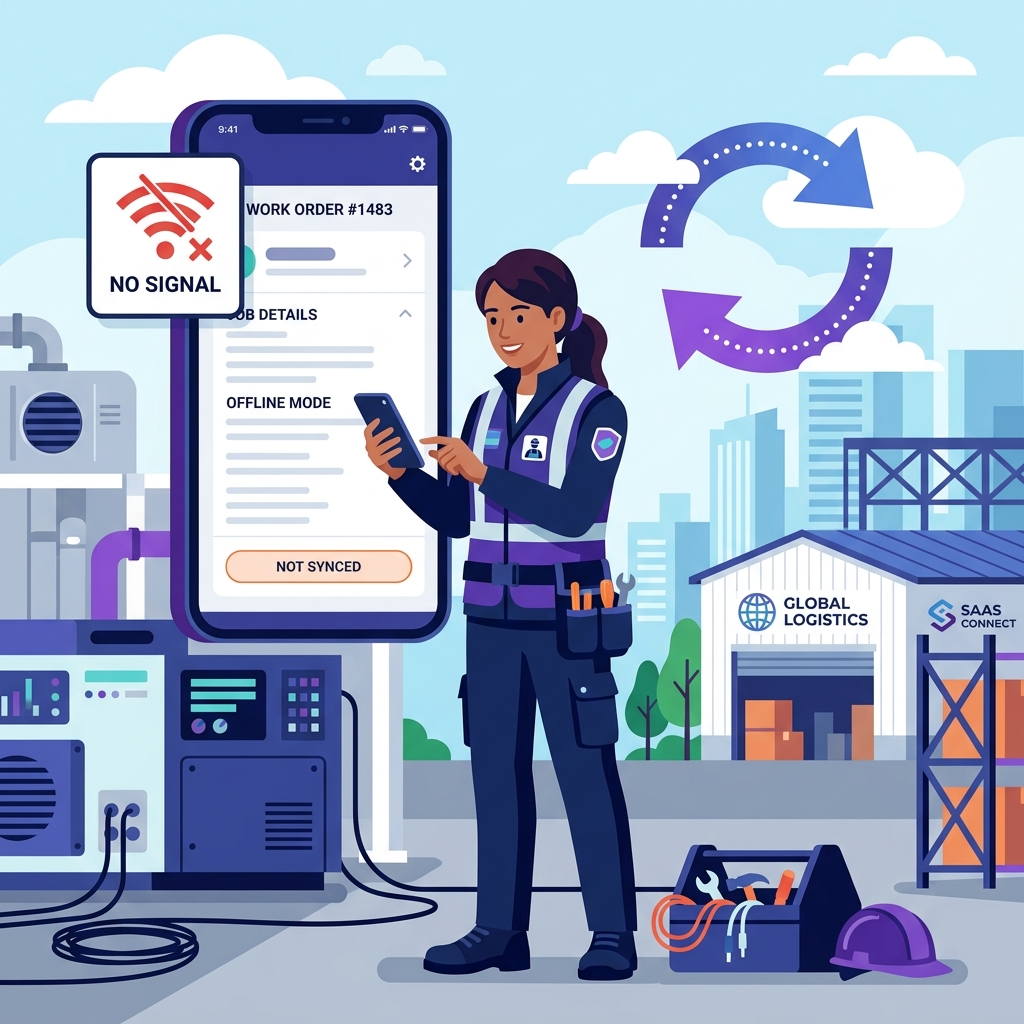
- Offline field work with a published action list. Once the day has synced, a technician can open assigned jobs, change status, record work performed, tick the checklist, see stock on their own vehicle, capture before-and-after photos and the customer's signature, create and send invoices and record payments — arrival to money collected, with no signal at all. Receiving newly assigned jobs, checking other vehicles' stock and delivering the customer's one-time code and portal link need a connection.
- Good/Better/Best estimates alongside single-price ones, approved by an OTP sent to the customer's email and signed on site.
- An invoice approval workflow — invoices sit in a pending queue for an admin to approve and send, and a price override requires approval. That is the control most small teams lose money without.
- A no-login customer portal delivered as an emailed link: current job, history, invoices and warranties, with nothing for the customer to install.
- Inventory across three location types — Warehouse, Truck and Van — with as many named locations of each as you need, job-linked deduction and low-stock alerts at two severity levels.
- A free branded website with online booking and a QR code, included on every account.
- 0% platform fee. Opsler is not a payment processor, so no percentage of what you collect passes through it.
- Video and written help built into the app header on both the office dashboard and the technician app, resolved by the screen you are on and by your role.
Where Opsler Draws the Line
Where the edges are, stated plainly, so you know exactly what you are getting in thirty seconds rather than three weeks. Some are deliberate design choices and some are simply not built yet, and the difference is marked.
- There is no public developer API. If your business depends on building your own integrations, another platform on this list fits better.
- Accounting moves as QuickBooks-formatted and Xero-formatted CSV export for manual import rather than a live two-way connection. That is the design: no accounting password handed over, no connector to reauthorise, and nothing posting itself wrong overnight. If a real-time sync is a hard requirement rather than a preference, Opsler is the wrong pick, and the accounting question in the FAQ below names who does it differently.
- There is no SMS today. Customer messaging runs on email — confirmations, estimate approvals and invoices — with a bring-your-own-provider SMS integration to follow. If text reminders are how your customers expect to hear from you, that is a real gap and you should weigh it.
- There is no built-in phone system. Workiz owns that requirement on this list.
- The app installs from a supported browser on desktop, Android and iPhone rather than from an app store. A fix ships the day it is ready with no store review in the way — but if a store listing is a procurement checkbox, Opsler will not tick it.
- The Budding plan is capped at 50 jobs a month, 2 seats, 100 inventory items and 1 inventory location. Busy shops will outgrow it and need Pro.
- The community, third-party training material and integration marketplace are smaller than Housecall Pro's or ServiceTitan's. That is a genuine trade-off, not a rounding error.
Check the claims rather than taking them: the full plan detail is on Opsler pricing, and the action-by-action detail of the Opsler offline technician workflow is published feature by feature rather than as a one-word claim.
2. Jobber — Best for a Polished Small-Team Ecosystem
Jobber is the most frequently recommended Jobber alternative to Housecall Pro, and the comparison is close: both are built for residential home service, both have well-regarded mobile apps, and both price in tiers. Month-to-month rates depend on the team-size band you select before the plans render. At 2-5 people on monthly billing they are Connect $199, Grow $299 and Plus $499, each covering five users; at 6-10 they are $299, $399 and $599 covering ten. Annual billing is advertised as saving up to 25%. Set the selector to your own headcount before comparing, because a Jobber figure without its band attached is not a number you can budget from. The trial is 14 days on the Grow plan with no credit card.
What you get for it is maturity: client communication tooling that has been refined over more than a decade, a large user community, and a long list of third-party integrations. For a small residential team that wants a product other people in their trade already use, that matters more than a feature matrix suggests.
Choose Jobber if
You want a polished, heavily documented product with a large community, you are comfortable with tiered pricing, and your team size sits neatly inside one of the tiers.
Real limitations
Capabilities such as the client hub and online booking sit on higher tiers; there are no Good/Better/Best estimate tiers; reporting is limited on lower plans; the cheap Core plan is withdrawn the moment you select 2-5 people, so the first employee takes the bill from $49 to $199, and each band after that adds roughly $100 a month to every plan; and offline depth is partial and not documented publicly.
Full breakdown in our Opsler vs Jobber comparison, and if Jobber rather than Housecall Pro is the product you are actually leaving, start at Jobber alternatives instead. Verify at getjobber.com
3. Workiz — Best for Communications-Heavy Service Teams
The Workiz vs Housecall Pro question comes down to one thing: telephony. Workiz is the only vendor on this list with a built-in VoIP phone system, with call recording, call tracking and an AI answering add-on. For locksmiths, garage door companies and any business where the phone is the sales channel, that is a real structural difference rather than a feature-list entry.
The pricing page lists three tiers — Standard, Pro and Ultimate — and a “Contact Us” button against each of them. No rate, no seat allowance and no additional-user price appears anywhere first-party, and Capterra shows the same. A free trial is offered. A free “Lite” tier is widely repeated by third-party roundups but was not listed on Workiz’s own pricing page when we checked on 30 July 2026, so confirm it with them directly rather than trusting any blog, including this one.
Choose Workiz if
Inbound calls drive your business and you would otherwise be paying for a separate phone system, or you are in the locksmith and garage door trades where Workiz has concentrated.
Real limitations
You cannot budget without a sales conversation because no prices are published — not the tier, not the seats, not the extras. The phone system and AI Answering are separate paid add-ons on top of whatever the quote turns out to be. Offline behaviour is not documented publicly.
Full breakdown in our Opsler vs Workiz comparison. Verify at workiz.com
4. FieldPulse — Best for Customizable Workflows and Support
FieldPulse vs Housecall Pro is a question about process. Housecall Pro assumes a fairly standard residential job flow; FieldPulse is built for teams whose process does not fit that mould, with custom fields and pipeline views you arrange around your own stages. It also splits seats — full-access seats and field-only seats are priced differently — which suits an operation with a small office and a lot of technicians.
Pricing is quote-led. The published tiers are Essentials, Professional and Enterprise, with no figures attached, and no trial was advertised on the pricing page when we checked on 30 July 2026. Support is part of how FieldPulse positions itself; because service levels are not published, treat that as a question for the sales call — get the response times you are being promised in writing, on the plan you would actually buy.
Choose FieldPulse if
Your workflow genuinely does not fit a standard template, you want custom fields and pipeline stages, and the split between office and field seats saves you money.
Real limitations
No published prices and no advertised trial, so evaluation starts with a sales conversation. The feature set is lighter than the full-suite platforms on this list, and offline behaviour is not documented publicly.
5. Service Fusion — Best for Teams Preferring Flat-Rate Plans
Service Fusion vs Housecall Pro is the clearest pricing-model contrast in this group. Housecall Pro charges by tier with user caps; Service Fusion charges a flat rate with unlimited users on every plan. What it does not do is publish the rate: every tier sits behind a demo call on its own site. Capterra recorded Starter at $259 a month, Plus at $399 and Pro at $649, flat rate, when checked on 6 August 2026 — that is a third-party report, not published pricing, and other directories disagree with it. There is no free plan and no trial.
The unlimited-user condition is the point. If you run dispatchers, office staff and a dozen technicians, adding the thirteenth person changes nothing on the invoice — which is the opposite of every per-seat and per-tier model here. Higher plans add GPS fleet tracking. The maths only works in your favour above roughly five people; below that you are subsidising seats you do not have.
Choose Service Fusion if
You have five or more people who need logins, you are hiring, and you want a bill that does not move every time you do.
Real limitations
The highest entry price on this list and no free tier, so a two-person shop pays the same as a ten-person one. The interface is commonly described in reviews as more utilitarian than newer platforms — that is review evidence, not a documented fact. Offline behaviour is not documented publicly.
6. Kickserv — Best for a Simpler Entry Point
Kickserv vs Housecall Pro is a trade of depth for simplicity. Kickserv publishes its prices openly — Start at $60 a month for 5 users ($48 billed annually), Run at $119 for 10 users, Scale at $199 for 20 — and keeps the product deliberately short. There is a 30-day free trial. Worth correcting one thing that half the roundups on this query get wrong: despite being listed as free in many comparison articles, Kickserv has no free plan.
For a team that wants scheduling, customers, estimates and invoices without a configuration project, the shorter feature list is the feature. Note that the tiers are user blocks, not per-seat pricing, so the entry plan bills for 5 users whether you are two people or five.
Choose Kickserv if
You want published prices, a short learning path and a product that does the basics without asking you to configure it first — and your team is close to the 5, 10 or 20 user blocks.
Real limitations
No free plan. The entry plan bills for 5 users even in a two-person shop. Inventory and reporting are light compared with the full-suite platforms, and offline behaviour is not documented publicly.
7. ServiceM8 — Best for Mobile-First Micro Teams
ServiceM8 vs Housecall Pro is a different pricing philosophy entirely: ServiceM8 charges by job volume rather than by seat. The free plan covers 1 user and 30 jobs a month with no time limit; paid plans start at $29 a month for 50 jobs, $79 for 150 and $149 for 500 — and paid plans allow unlimited users. For a one- or two-person business doing high-value, low-volume work, that is the cheapest serious option in this comparison.
It is also one of only two vendors here that documents offline behaviour with any specificity: job details, notes and photos are available without a connection, with templates and messaging listed as exceptions. The platform is iOS-first with limited Android support, and it is marketed most heavily in Australia, the United Kingdom and New Zealand rather than the United States.
Choose ServiceM8 if
You are a one- or two-person business on iPhones, your job count is low enough that volume pricing beats per-seat pricing, and offline access matters.
Real limitations
iOS-first with limited Android, which rules it out for mixed-device crews. Job-volume pricing climbs quickly for a busy shop — 500 jobs a month is $149. Its market presence is strongest outside the United States.
8. ServiceTitan — Best for Larger, High-Volume Trade Operations
ServiceTitan vs Housecall Pro is not really a like-for-like comparison — it is a comparison between small-business software and an enterprise platform. ServiceTitan has the deepest reporting, pricebook and integration set of anything on this list, built for operations running call centres, marketing attribution and dedicated administrative staff.
ServiceTitan does not publish prices, and we will not invent one. Users on G2, Capterra and industry forums report roughly $245 to $500 per technician per month with office seats charged separately, annual contracts, and implementation fees between $5,000 and $50,000 depending on company size. Those are reported figures, not official ones — treat them as an order of magnitude and get a quote. Onboarding is typically described as a 6 to 12 week project.
Choose ServiceTitan if
You run 50 or more technicians, you need enterprise reporting and attribution, and you have the administrative capacity to run a multi-month implementation.
Real limitations
No public pricing, annual contracts with early-termination terms, reported five-figure implementation fees, and a 6–12 week rollout. Under ten people, you are buying a configuration project and paying for capacity you will not reach for years.
Full breakdown in our Opsler vs ServiceTitan comparison. Request pricing at servicetitan.com
9. FieldEdge — Best for Deeper Trade-Specific Operations
FieldEdge vs Housecall Pro comes down to accounting gravity. FieldEdge is built around a QuickBooks Desktop integration and a trade pricebook with real depth for HVAC and plumbing — which is exactly what an established company with twenty years of desktop accounting history needs, and exactly what a two-van cleaning business does not. Pricing is not published; a demo is required.
If you are also researching simPRO vs Housecall Pro, it belongs on the same shortlist as FieldEdge for trade and project depth. We have not restated simPRO’s plan terms here because they were not verified against simPRO’s own page on 30 July 2026, and this page does not publish numbers it has not read at source.
Choose FieldEdge if
You are an HVAC or plumbing company anchored to legacy desktop accounting that you are not willing to replace, and you need trade pricebook depth more than you need a modern interface.
Real limitations
No public pricing and a demo-led sales process, a narrower fit outside HVAC and plumbing, an interface commonly described in reviews as dated relative to newer platforms, and offline behaviour that is not documented publicly.
Best Alternative by Team Size and Workflow
A list is not a decision. Find the row that describes your business and the shortlist drops from nine to one or two.
Your situation
Solo operator, minimum spend
Best fit
Opsler Budding or ServiceM8 Free
Opsler's Budding plan is free forever with 2 seats and 50 jobs a month. ServiceM8's free plan covers 1 user and 30 jobs a month. Both are plans rather than trials, which is the cheaper alternative to Housecall Pro most people are actually looking for — Housecall Pro has no free tier.
Your situation
Two-person team, every feature needed
Best fit
Opsler Pro
Two Pro seats cost $50 a month with no seat minimum and no tier to climb. A two-person team puts Jobber in its 2-5 band, where the cheapest plan is Connect at $199 a month on monthly billing, and several capabilities sit on higher tiers still.
Your situation
3–10 technicians, growing
Best fit
Opsler Pro or Jobber Connect
This is the band where pricing models diverge hardest. Ten Opsler seats are $250 a month; Jobber sits in its 6-10 band, where Connect is $299 and Grow $399 monthly; Housecall Pro Max covers 8 at $649. Price the team you will have in a year.
Your situation
Communications-heavy dispatch
Best fit
Workiz
A built-in VoIP phone system with call recording and an AI answering add-on is the differentiator here. Nothing else on this list bundles telephony. Expect to request a quote — Workiz does not publish prices.
Your situation
Technicians in dead zones
Best fit
Opsler, or ServiceM8 for micro teams
These are the two vendors that publish a specific offline action list rather than a one-word claim. Test either against your own worst site during the trial before you commit.
Your situation
Flat-rate billing preferred
Best fit
Service Fusion
Unlimited users on every plan, and the bill does not move when you hire. Service Fusion gates every tier behind a demo call, so the number is set for you rather than published — Capterra reported Starter $259, Plus $399 and Pro $649 a month, flat rate, when checked 6 Aug 2026.
Your situation
50+ technicians, call centre, attribution
Best fit
ServiceTitan
The deepest reporting and integration set in the category, with pricing available only by quote and a 6–12 week implementation. Small teams should not be talked into this.
Your situation
HVAC or plumbing on QuickBooks Desktop
Best fit
FieldEdge
Built around the legacy desktop accounting integration and trade pricebook depth. Quote-priced with a demo-led sales process.
Pricing pages for the two most common picks: Opsler pricing and Housecall Pro pricing in full.
Cheaper Alternatives and More Advanced Alternatives
“Cheaper” and “better” pull in opposite directions, and most shortlists fail because they mix the two. Here is the split, comparing published entry prices on the same date rather than equivalent feature sets.
Cheaper than Housecall Pro’s $79 entry plan
- Opsler — free forever on Budding (2 seats, 50 jobs a month), then $25 per seat per month with no seat minimum.
- ServiceM8 — free for 1 user and 30 jobs a month, then $29 a month for 50 jobs.
- Jobber — $49 a month solo on Core, but only while you are solo. See the note below.
- Kickserv — $60 a month, though the plan bills for 5 users regardless of team size.
The Jobber entry price has a cliff in it. Core at $49 exists only at the “Just me” team size. Select 2-5 people and Core is no longer offered at all — the cheapest becomes Connect at $199, so hiring your first employee takes the bill from $49 to $199. Opsler at that headcount is $50. Check the price at the team size you will actually be, not the one you are today.
Entry price is not total cost. Add the seats you actually need, the add-ons you will turn on and the payment processing rate before you compare.
More advanced, and priced accordingly
- ServiceTitan — the deepest reporting and integration set here, quote-only, annual contracts, 6–12 week implementation.
- FieldEdge — trade pricebook depth and QuickBooks Desktop integration, quote-only with a demo.
- Service Fusion — flat rate with unlimited users, quote-only on its own site; the model wins above roughly five people.
- FieldPulse — custom fields and pipeline views for non-standard processes, quote-only.
Depth costs implementation time as well as money. A platform you never finish configuring is more expensive than the one you outgrow.
Offline Work and Mobile Access Compared
Offline is the most over-claimed capability in this category, so this table records only what each vendor documents publicly — never what we assume. For HVAC, plumbing and electrical teams working in basements, plant rooms and rural properties, this is often the whole decision. Our Housecall Pro offline-mode analysis includes a test script you can run against any vendor on this list, including us.
| Vendor | What is documented | Evidence | Mobile installation |
|---|---|---|---|
| Opsler | Published action list: open assigned jobs, change status, record work, tick the checklist, see own-vehicle stock, capture before-and-after photos and the signature, create and send invoices, record payments. Needs signal for newly assigned jobs, other vehicles' stock, and one-time code and portal delivery. | Official | Installs from a supported browser on desktop, Android and iPhone. No app store. |
| Housecall Pro | Pricing page lists “Offline viewing” on every plan. No further public detail on what can be created offline. | Official | iOS and Android apps |
| Jobber | Offline support is partial and its depth is not documented publicly. | Reported | iOS and Android apps |
| Workiz | Offline behaviour is not documented publicly. | Quote only | iOS and Android apps |
| FieldPulse | Offline behaviour is not documented publicly. | Quote only | iOS and Android apps |
| Service Fusion | Offline behaviour is not documented publicly. | Quote only | iOS and Android apps |
| Kickserv | Offline behaviour is not documented publicly. | Quote only | iOS and Android apps |
| ServiceM8 | Documents offline access to job details, notes and photos, with templates and messaging as stated exceptions. | Official | iOS-first; limited Android |
| ServiceTitan | Offline support is partial and its depth is not documented publicly. | Reported | iOS and Android apps |
| FieldEdge | Offline behaviour is not documented publicly. | Quote only | iOS and Android apps |
A note on how the app is installed: it matters less than what the app caches. Opsler installs from a supported browser rather than an app store, which means no store-review delay when a fix ships. The offline capability comes from caching the day’s work to the device, and that works the same either way.
Setup, Migration and Learning Compared
Switching software costs a week of attention before it saves you anything. These are the documented facts about onboarding, imports and learning support — recorded on the same rubric for every vendor, with “not documented publicly” used where a vendor publishes nothing.
| Vendor | Onboarding | Imports | Learning support | Contract |
|---|---|---|---|---|
| Opsler | A guided four-step checklist on first login — set up the business, add the team, add a customer, schedule a job — with 11 trade presets that load your trade's service types and terminology instead of a blank account. | Bulk CSV import for customers and for the team; parts can be created in bulk. | Video and written help built into the app header on both the office dashboard and the technician app, resolved by the screen you are on and by role. Self-serve, not a scheduled call. | Month-to-month, no seat minimum. Free plan needs no card. |
| Housecall Pro | Onboarding wizard on signup. | CSV import available. | Help centre, training material and an established user community. Support channel depends on the plan tier. | No long-term contract; downgrades take effect at the end of the billing period. |
| Jobber | Step-by-step onboarding flow on signup. | CSV import for clients. | Help centre plus live chat, with access varying by plan. | Month-to-month, or an annual commitment at a lower rate. |
| ServiceTitan | A 6–12 week implementation run by a dedicated team. | Handled as part of the implementation project. | Vendor-led training as part of implementation. | Annual contract with early-termination terms. Implementation fees reported at $5,000–$50,000. |
| Workiz, FieldPulse, Service Fusion, Kickserv, FieldEdge | Not documented in enough public detail to compare on the same rubric. | Not documented publicly. Ask for the exact import format on the demo call. | Not documented publicly. | Kickserv and Service Fusion publish plan terms; the others are quote-led. |
What this table deliberately does not do is turn any of it into an ease-of-use score. Nobody has run the same setup task on all ten products under the same conditions, so a score would be an opinion with a number attached. Note too that embedded product guidance and human support are different things: Opsler’s in-app video and written help is self-serve guidance, while Housecall Pro’s phone and chat support is human help whose availability depends on your plan tier. Both are useful; they are not the same purchase.
Workflow Flexibility and Configurable Controls
Most comparison tables stop at features and never ask the more useful question: how much of the workflow can you change without calling support? Four areas decide it, and they are where a nine-vendor shortlist becomes a two-vendor one.
Admin workflow
Ask whether anything sits between a technician finishing a job and the customer receiving an invoice. In Opsler, invoices land in a pending-approval queue for an admin to approve and send, and a price override requires approval. Housecall Pro, Jobber and ServiceTitan do not document an equivalent review step. If your technicians price work in the field, this is the control that stops revenue leaking.
Technician workflow
Ask what one person can finish on a phone, alone, from arrival to payment. In Opsler that is the job record, the status, the work notes, the checklist, the before-and-after photos, the customer's signature, van stock, the invoice and the payment — all of it on a handset with no signal. Every vendor here has a technician app; the difference is how much of the day it actually covers.
Customer access
Ask what the customer has to install or log into. Opsler sends a no-login portal link by email covering the current job, history, invoices and warranties. Housecall Pro and Jobber use their own customer-facing tools, with Jobber's client hub sitting on higher tiers. The right answer depends on your customers: an app is a barrier for some demographics and a benefit for others.
Configurable controls
Ask what you can change yourself. Opsler lets an organisation configure its own terminology, job statuses and service types, and starts you from one of 11 trade presets rather than an empty account. FieldPulse is the strongest of the others on this axis, with custom fields and pipeline stages. Kickserv is deliberately the least configurable, which is why it is quicker to learn.
How to Switch From Housecall Pro
Switching from Housecall Pro is a ten-step job, and the order matters more than the speed. Work through this before you cancel anything — the expensive mistakes all happen when the old subscription ends before the new system is proven.
- 1
Export your customer list from Housecall Pro as CSV. Check that phone numbers, service addresses and email addresses all came across — an export that drops addresses will cost you a day of retyping.
- 2
Clean the export before you import it. De-duplicate repeat customers, fix the addresses that were typed into the wrong field, and delete the test records every account accumulates.
- 3
Export your pricebook or flat-rate book and decide what is worth carrying. Most shops find a third of it is dead. Rebuild the live items in the new system rather than importing the whole archive.
- 4
Export open invoices and unpaid balances, and record which customers owe what on the day you switch. Reconciling that later from two systems is the single worst part of a badly planned migration.
- 5
Export job history for any customer with an active warranty, then set those warranty records up in the new system before you migrate that customer.
- 6
Configure the new account first: business details, team members, trade preset or service types, tax rates, and the pricebook. Book one internal test job end to end before any customer sees it.
- 7
Run both systems in parallel for a week on live jobs. New jobs go into the new platform, existing jobs finish in Housecall Pro. This is the step people skip and regret.
- 8
Verify invoices and payments in the parallel week — that the totals, tax and payment records match what you expected, and that money reaches your account exactly as before.
- 9
Train the technicians before the first live job, not during it. Fifteen minutes on the phone app is enough for most crews, and it is the difference between a smooth week and a mutiny.
- 10
Note your Housecall Pro billing date and cancel only after the parallel week has closed cleanly. Keep the exported files — they are your record of everything that happened before the switch.
Work it in that order and the week is a nuisance rather than a crisis. Opsler supports bulk CSV import for customers and for your team, and 11 trade presets load your trade’s service types and terminology so you are not configuring an empty account on day one.
Final Recommendations by Use Case
The nine Housecall Pro alternatives above are not ranked best to worst, because no such ranking survives contact with a real business. They are ranked by how often each one is the right answer for a small home-service team — which is the audience this page is written for, and a criterion we are stating openly rather than hiding.
Best overall Housecall Pro alternative for small teams
Opsler
Not the pick if you need a live accounting sync, a public API or built-in telephony. If none of those three is a hard requirement, it is the only option here that is free to start, priced per seat with no floor, and specific in writing about what a technician can finish with no signal — every feature on one Pro plan at $25 per seat.
Best polished product for residential home service
Jobber
A mature interface, strong client communication and a large community. You will pay for tiers to get there, and the whole plan re-prices each time your headcount crosses a team-size band.
Best for teams that live on the phone
Workiz
Built-in VoIP with an AI answering add-on. Budget through a sales conversation, because prices are not published.
Best flat-rate pricing at scale
Service Fusion
Unlimited users on every plan, with no published price — you get a quote. The model only favours you above roughly five people.
Best free entry point for a one-person business
ServiceM8
Genuinely free for 1 user up to 30 jobs a month, with documented offline job access. iOS-first, so check your phones.
Best simple paid product with published prices
Kickserv
Straightforward and openly priced. The Start plan bills for 5 users whether or not you have them.
Best for large, high-volume operations
ServiceTitan
The deepest platform here, with quote-only pricing, annual contracts and a 6–12 week rollout.
Best for HVAC and plumbing on legacy accounting
FieldEdge
QuickBooks Desktop integration and trade pricebook depth, sold through a demo.
Sources and Checked Dates
Every external figure on this page came from one of these sources on 30 July 2026, except Jobber’s, which were re-read on 5 August 2026. Opsler’s own plan facts come from Opsler pricing. Vendor pricing changes frequently and without notice — confirm at source before you commit to anything.
- Housecall Pro — official pricing
Plan prices, included users, extra-user rate, add-ons, trial length and processing rates.
Checked 30 July 2026
- Jobber — official pricing
Core, Connect, Grow and Plus rates at the Just-me, 2-5 and 6-10 team-size bands, the included-user count each band renders, and trial terms.
Checked 5 August 2026
- Jobber Academy — Housecall Pro competitors
Vendor shortlist cross-check. Not used for any price.
Checked 30 July 2026
- Workiz — official pricing and Housecall Pro competitors
Tier structure, included users, extra-user rate, trial length and add-on model.
Checked 30 July 2026
- FieldServicePro — 9 best Housecall Pro alternatives
Vendor shortlist cross-check. Not used for any price.
Checked 30 July 2026
- BuildOps — choosing a Housecall Pro alternative
Buyer decision framework and migration practice, adapted to small home-service teams.
Checked 30 July 2026
- G2 — Housecall Pro alternatives
Supporting evidence for which vendors buyers shortlist. No ratings are restated on this page.
Checked 30 July 2026
More Housecall Pro Comparison Pages
Housecall Pro pricing
Every tier, add-on and processing rate
Housecall Pro offline mode
What is documented, and how to test it
Housecall Pro pricing
Plans, add-ons and per-headcount scenarios
Opsler pricing
Free, $25/seat Pro and the $499 lifetime deal
Free FSM software
Which free plans are plans, not trials
Work order software
End-to-end work order management
Offline technician app
The verified offline action list
Jobber alternatives
If Jobber is what you are leaving
Housecall Pro Alternatives FAQs
The questions buyers ask before choosing a Housecall Pro alternative, answered with dated facts rather than opinions.
Opsler is the cheapest full-featured Housecall Pro alternative. The Budding plan is free forever with 2 seats — 1 admin and 1 technician — and 50 jobs a month. Pro is $25 per seat per month with no seat minimum, so a one-person office pays $25 and a three-person team pays $75. ServiceM8 is cheaper still at the very bottom if you run under 30 jobs a month, because its free plan covers 1 user with no time limit. Among the paid-only options, Kickserv's Start plan is $60 a month but bills for 5 users whether or not you have them, and Jobber prices from a team-size band rather than a plan list — Core is $49 a month for a single user at the "Just me" band, but Core is not offered once you select 2-5 people, where the cheapest becomes Connect at $199. Service Fusion publishes nothing at all — every tier is a demo call — and its flat-rate model only works out cheaper once your team is large. (External figures checked 30 July 2026.)
Yes, but fewer than most roundups claim. Opsler's Budding plan is free forever and covers 2 seats (1 admin and 1 technician), 50 jobs a month, unlimited customers, 100 inventory items and 1 inventory location — it is a plan, not a trial. ServiceM8's free plan covers 1 user and 30 jobs a month with no time limit. Housecall Pro itself has no free plan, only a 14-day trial. Workiz's free 'Lite' tier is widely repeated by third-party blogs but was not listed on Workiz's own pricing page when we checked on 30 July 2026, so confirm it directly. Jobber, FieldPulse, Service Fusion, Kickserv, ServiceTitan and FieldEdge are trial-or-demo only.
Only two vendors on this list publish enough detail to answer that honestly. Opsler documents an action-by-action list: once the day has synced, a technician can open assigned jobs, change status, record work performed, work the job checklist, see stock on their own assigned vehicle, capture before-and-after photos and the customer's signature, create and send invoices and record payments — the whole visit, finished on a phone with no bars and synced the moment it reconnects. Receiving newly assigned jobs, checking other vehicles' stock and delivering the customer's one-time code and portal link need a connection. ServiceM8 documents offline access to job details, notes and photos, with templates and messaging as stated exceptions. Housecall Pro lists "offline viewing" on every plan and publishes no further detail. For Jobber, Workiz, FieldPulse, Service Fusion, Kickserv, ServiceTitan and FieldEdge, offline depth is not documented publicly — test it in a real dead zone during a trial rather than taking anyone's word for it, ours included.
It depends on size. An HVAC shop of one to ten technicians usually wants Good/Better/Best estimates (a repair-versus-replace conversation sells far better as three priced options), warranty tracking against the equipment address, van-level parts stock and a technician app that survives a mechanical room — which is the case for Opsler at $25 per seat per month. An HVAC company already running QuickBooks Desktop and unwilling to move off it will get more from FieldEdge, which is built around that integration. Above roughly fifty technicians with a call centre and marketing attribution requirements, ServiceTitan is the realistic answer despite the cost.
Plumbing work punishes weak offline support more than most trades — basements, crawlspaces and rural properties are where signal disappears. That narrows a serious shortlist to the vendors that document offline behaviour: Opsler, which publishes what a technician can do with no connection, and ServiceM8 for a one- or two-person operation running on iPhones. If your plumbing business is mostly scheduled residential work above ground, offline matters less than the marketing suggests and Jobber or Housecall Pro itself are perfectly reasonable choices.
Almost all of them move data to accounting software, but the mechanism differs and the difference matters. FieldEdge is built around a QuickBooks Desktop integration. Jobber, Housecall Pro and ServiceTitan all offer accounting connections. Opsler generates QuickBooks-formatted and Xero-formatted CSV exports from invoices and payments for manual import on the Pro plan — that is a reviewed batch your bookkeeper imports, not a live two-way sync, and if a live sync is a hard requirement then Opsler is the wrong pick. Confirm the exact mechanism with each vendor: "works with QuickBooks" covers everything from a real-time connection to a spreadsheet download.
The data itself is the easy part — customers, jobs and invoices export as CSV, and every alternative here imports customers. The work is in the pricebook, the team and the timing. Budget an evening to clean the customer export, a few hours to rebuild or re-import the pricebook, a week of running both systems in parallel on live jobs, and a training session before the first technician takes the new app to a customer's house. Do not cancel Housecall Pro until you have exported job history for any customer with an open warranty and confirmed your payment processing works in the new platform.
There is no universal number, but there is a well-known step. Housecall Pro's Essentials team plan covers 5 users at $299 a month; the sixth hire pushes you onto Max at $649 a month, a $350 jump for one person. Teams that expect to cross that line, or that keep adding paid add-ons on top of the plan fee, are the ones who most often find a per-seat Housecall Pro alternative cheaper. Below three people with no add-ons and no offline requirement, staying put is usually the rational choice. (Housecall Pro figures checked 30 July 2026.)
Want to see how Opsler stacks up feature by feature against the product you are leaving? Compare Opsler and Housecall Pro side by side.
Nine alternatives, one honest shortlist
If you are a small team with technicians who work where the signal drops, Opsler is the one to try first — and trying it costs nothing. Free forever on Budding for 2 seats, or a 14-day Pro trial with no card.
Free forever on the Budding plan. No credit card required.